
Qwen3-TTS is the open-source text-to-speech model from Alibaba's Qwen team that supports voice cloning from just 3 seconds of audio, covers 10 languages, and lets you control emotion through plain-language instructions. This guide shows you how to use it entirely online through Quasar Voice, with zero setup.
What Is Qwen3-TTS?
Qwen3-TTS is a family of six open-source TTS models (0.6B to 1.7B parameters) released in January 2026 under the Apache 2.0 license. Its core capabilities include:
- 10-language support — Chinese, English, Japanese, Korean, German, French, Russian, Portuguese, Spanish, and Italian.
- 3-second voice cloning — Upload a short audio clip and the model replicates the voice with high fidelity.
- Emotion and tone control — Fine-tune output with 8 emotion sliders (Happy, Angry, Sad, Surprised, Calm, and more) or let the model adapt based on text context.
- Ultra-low streaming latency — As low as 97 ms end-to-end, viable for real-time applications.
Model Versions on Quasar Voice
| Model | What It Does |
|---|---|
| Qwen3 2.0 | Rich Emotion · High Fidelity — best for expressive, production-quality output with advanced tone controls |
| Qwen3 1.0 | Ultra-fast · Long-form — best for quick drafts and longer content |
Why Not Run It Locally?
Self-hosting is possible, but the requirements are steep:
- GPU — NVIDIA with CUDA support. The 1.7B model needs roughly 8 GB+ VRAM.
- Software stack — Python 3.10+, PyTorch, the
qwen-ttspackage or vLLM, plus CUDA toolkit. - Mac users — No native NVIDIA GPU support. MPS acceleration isn't officially supported for the full pipeline, leaving you with painfully slow CPU inference.
For developers building production pipelines, local deployment makes sense. For content creators, podcasters, and marketers who just want to clone a voice online, a browser-based tool saves hours of setup.
How to Clone a Voice with Qwen3-TTS Online — Step by Step
Quasar Voice wraps the Qwen3-TTS models in a browser-based interface. Here's how to go from zero to a cloned voice in under a minute.
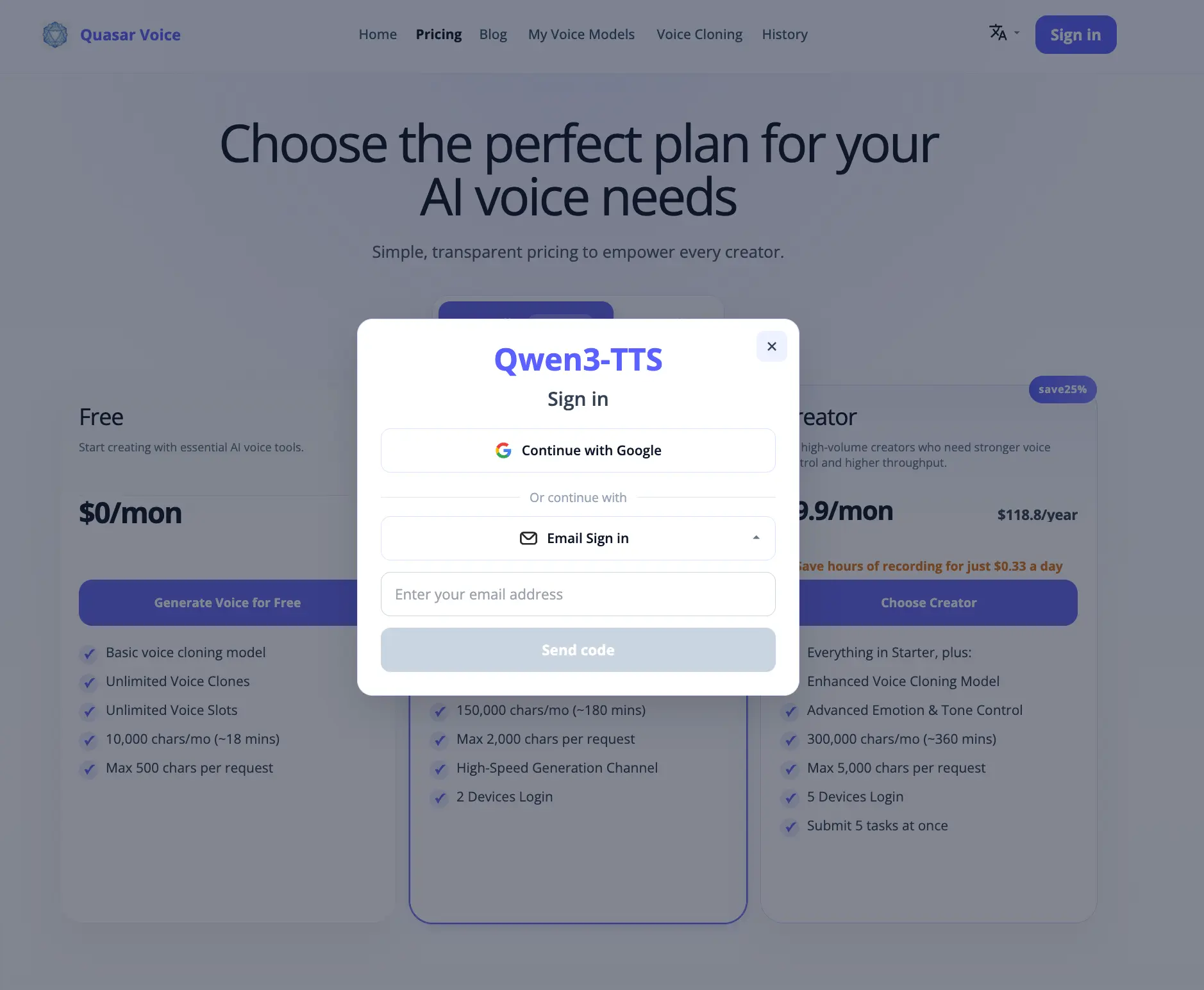
Step 1: Create a Free Account
Head to qwen3-tts.ai and sign up. The free plan includes:
- 10,000 characters per month (~18 minutes of audio)
- Unlimited voice clones
- Unlimited voice slots
- Max 500 characters per request
No credit card required.
Step 2: Upload Audio and Create a Voice Model
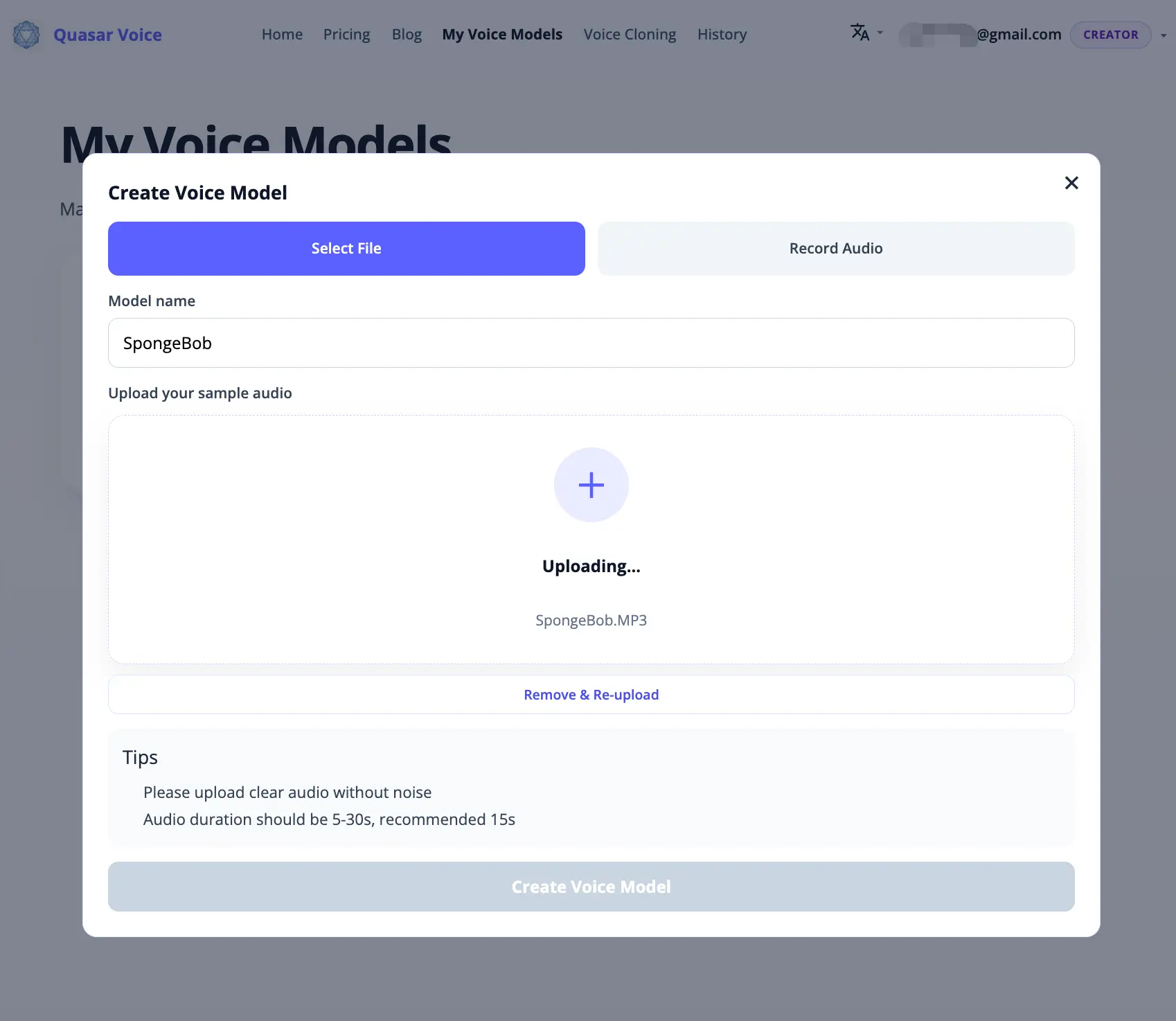
Go to the My Voice Models page and upload the audio clip you want to clone. The clip must be clean, with no background noise, and contain continuous speech — this directly affects clone quality. The platform analyzes the audio and builds a reusable voice model. Once it's ready, click "Use" to jump directly to the voice cloning page.
Step 3: Enter Text and Choose a Model
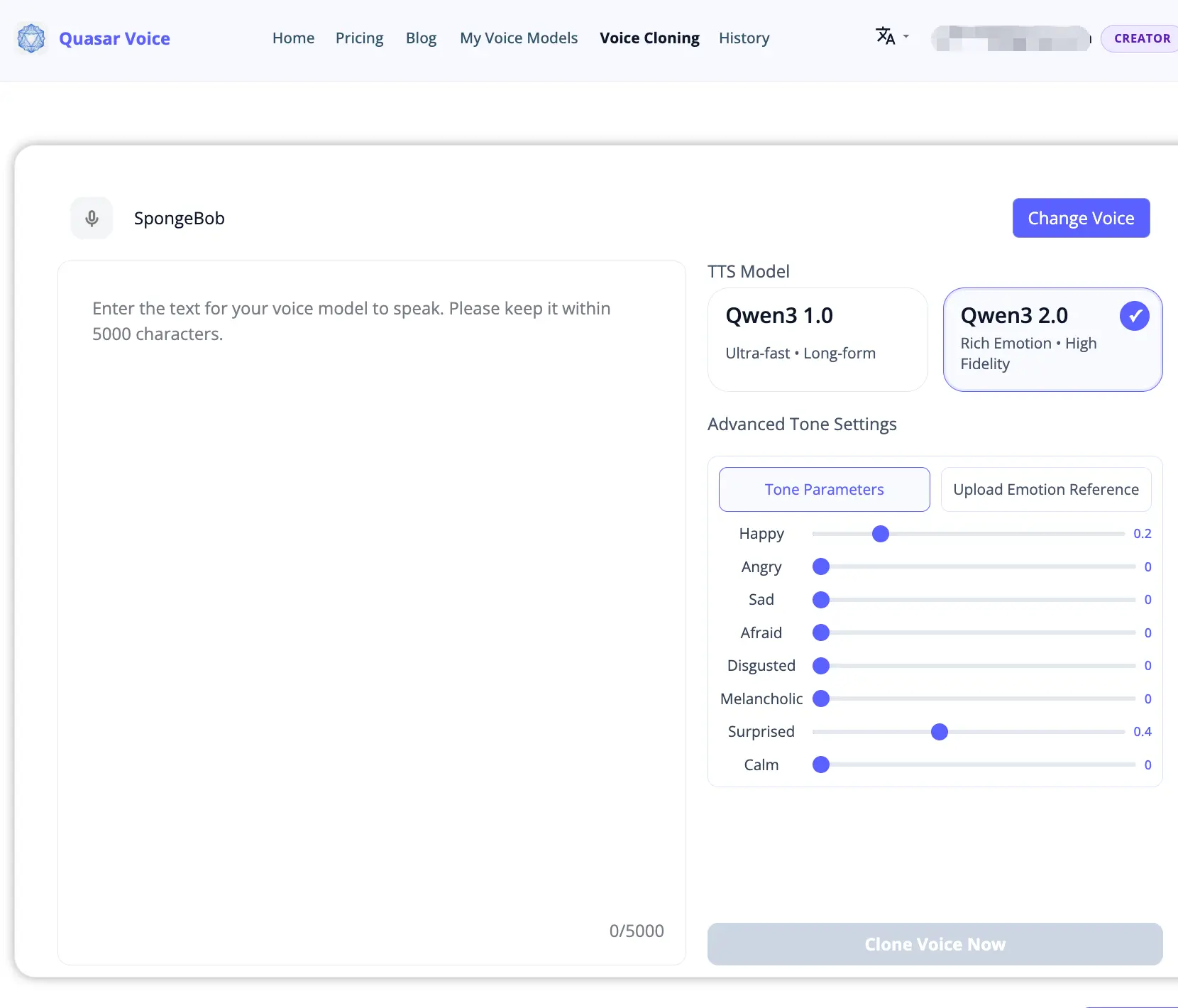
On the voice cloning page, type or paste the text you want spoken. Then select a TTS model:
- Qwen3 2.0 (Rich Emotion · High Fidelity) — Includes advanced tone settings where you can fine-tune emotions like Happy, Surprised, Calm, Angry, and more with slider controls. Best for expressive, production-quality output.
- Qwen3 1.0 (Ultra-fast · Long-form) — Faster output, ideal for longer content or quick iterations.
Tip: Keep sentences short and use clear punctuation. Match the language to your reference audio for the most natural results.
Step 4: Clone and Download
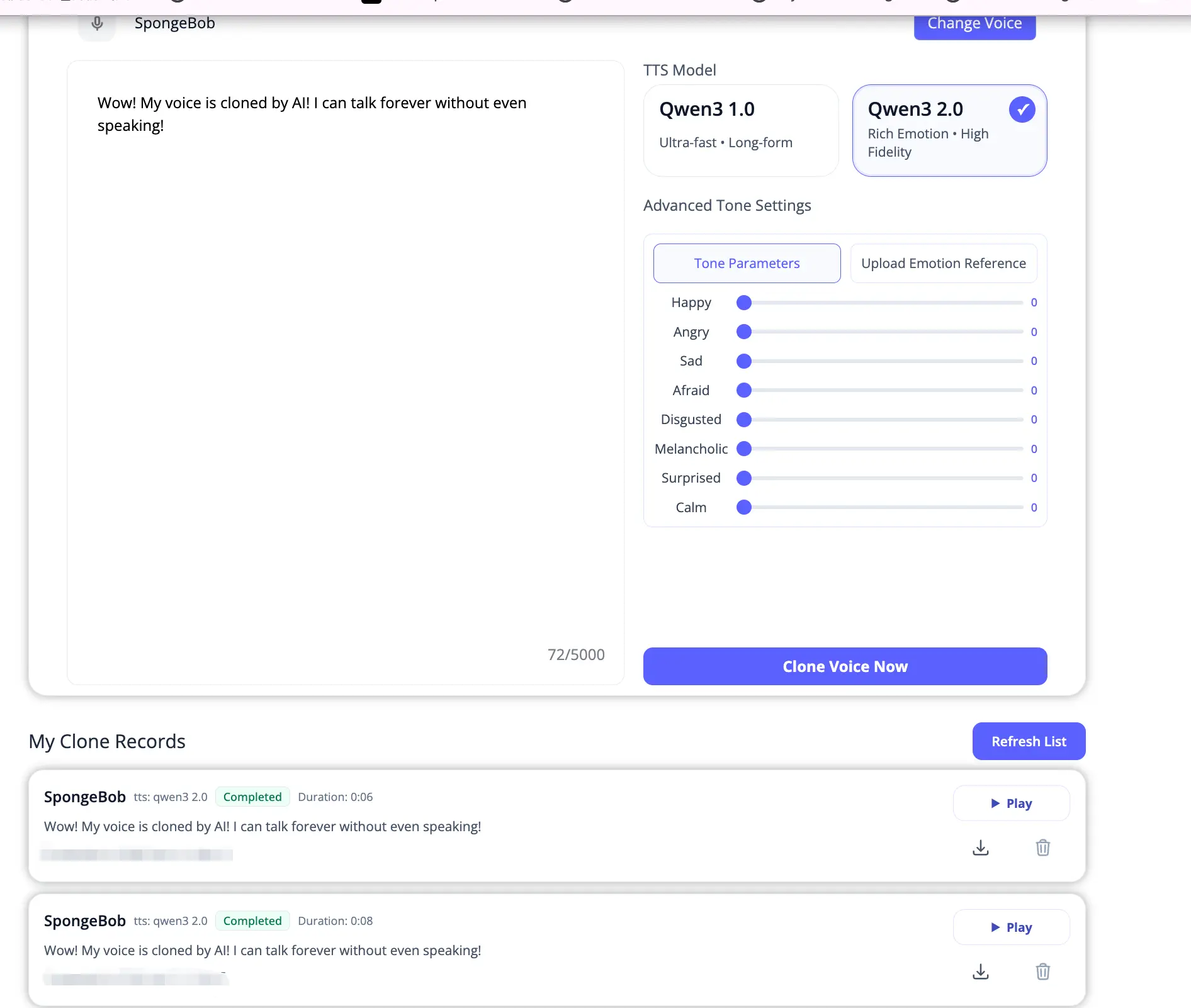
Click Clone Now. The audio generates in seconds and appears at the bottom of the same page. Preview it right there, then download the file.
Listen: SpongeBob Voice Clone Demo
Qwen3 1.0 — Normal tone:
Qwen3 2.0 — With emotion:
That's it — no local GPU, no Python, no terminal. Works on Mac, Windows, Linux, and mobile.
Qwen3-TTS vs. ElevenLabs vs. Fish Audio
If you're evaluating TTS platforms, here's how they compare:
| Feature | Qwen3-TTS (Quasar Voice) | ElevenLabs | Fish Audio |
|---|---|---|---|
| Open source | Yes (Apache 2.0) | No | No |
| Free tier | 10K chars/mo (~18 min) | 10K chars/mo (~10 min) | Limited free generations |
| Paid starting price | $7.90/mo (150K chars) | $5/mo (30K chars) | $11/mo |
| Voice cloning | 3-sec clip, unlimited on free | $5+ plan required | 10–15 sec audio |
| Languages | 10 | 29+ | 70+ |
| Emotion / style control | 8 emotion sliders (Happy, Angry, Sad, Surprised, Calm, etc.) | Limited on lower tiers | Emotion tags |
| Commercial rights | Free tier included | Paid only ($5+) | Paid only |
| Streaming latency | ~97 ms | ~75–250 ms | Low-latency streaming |
Key takeaways:
- Best value for voice cloning — Qwen3-TTS offers unlimited clones on the free tier. ElevenLabs gates cloning behind paid plans. Fish Audio requires longer reference audio.
- Best language coverage — Fish Audio leads with 70+ languages. Qwen3-TTS focuses on 10 major languages but does them well.
- Open-source advantage — Qwen3-TTS is the only option with public weights under a permissive license. You can self-host or fine-tune whenever you need to.
- Commercial use — Quasar Voice allows commercial use on the free plan. ElevenLabs requires at least the $5/mo Starter plan.
Want a deeper dive into how Qwen3-TTS stacks up? We're publishing a full ElevenLabs alternative comparison soon.
For a detailed look at our plans, check the pricing page.
Frequently Asked Questions
Is Qwen3-TTS free to use online?
Yes. Quasar Voice offers a free plan with 10,000 characters per month, unlimited voice clones, and no credit card required. Paid plans start at $7.90/month for higher volume.
Does Qwen3-TTS work on Mac without a GPU?
Through Quasar Voice, yes — everything runs server-side, so your device doesn't matter. Running Qwen3-TTS locally on a Mac is not practical because the model relies on NVIDIA CUDA GPUs.
What's the difference between Qwen3 2.0 and Qwen3 1.0?
Qwen3 2.0 (Rich Emotion · High Fidelity) produces expressive audio with fine-grained emotion control — you can adjust sliders for Happy, Angry, Sad, Surprised, Calm, and more. Qwen3 1.0 (Ultra-fast · Long-form) is optimized for speed and longer content, ideal for drafts and bulk generation.
How good is the voice cloning quality?
Qwen3-TTS achieves a speaker similarity score of 0.95, outperforming many closed-source alternatives. In practice, 3 seconds of clean reference audio produces highly convincing results across all 10 supported languages. Try it yourself with the free voice cloning tool.
Get Started
Head to qwen3-tts.ai, create a free account, and generate your first voice in under a minute.
Try Qwen3-TTS Online Free →